2-in-1 Microfiber Screen Cleaner: Spray + Cloth
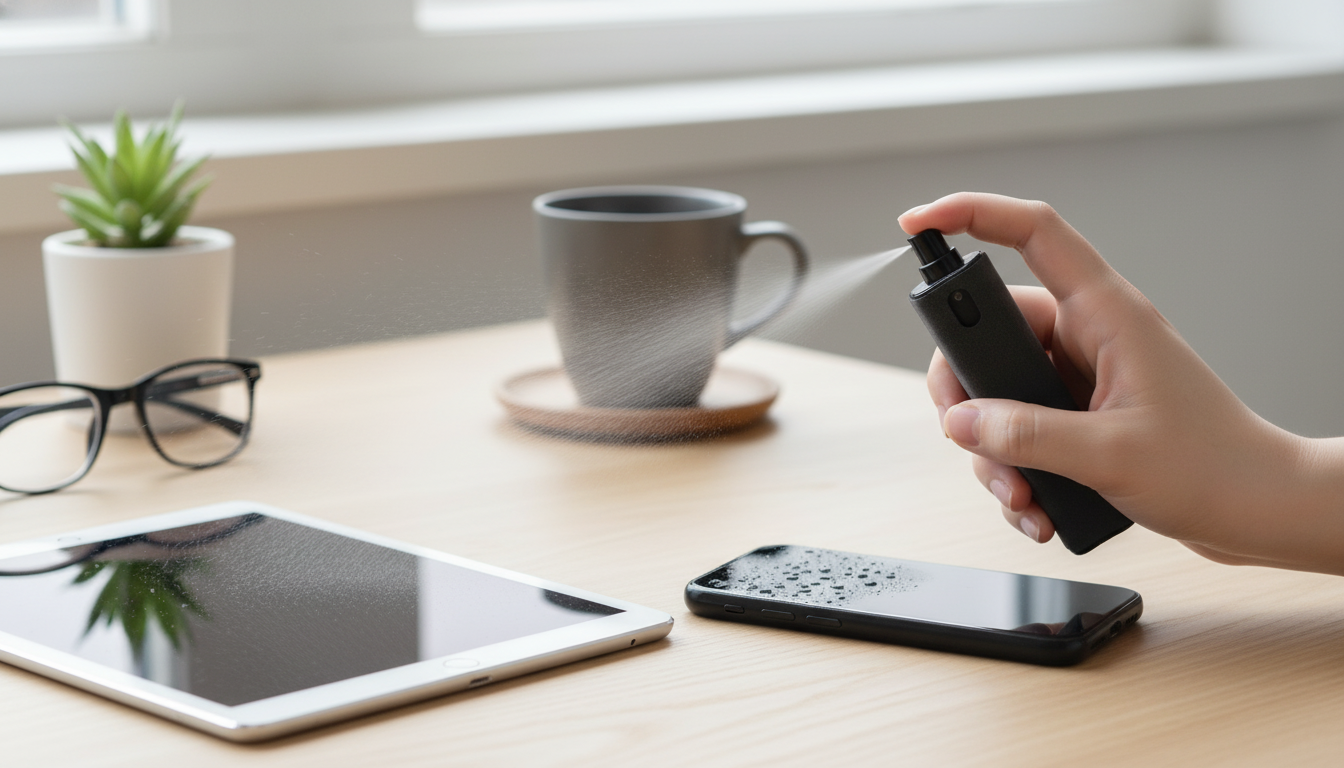
Meet the 2-in-1 Microfiber Screen Cleaner Spray with Cloth
Fingerprints, dust, and smudges can make a bright display look dull. A compact 2-in-1 cleaner that pairs a spray with a built-in microfiber cloth makes it easy to refresh phone and tablet screens quickly at home, in the car, or at work. If you like keeping your devices looking crisp without carrying a separate bottle and wiping cloth, the 2-in-1 Microfiber Screen Cleaner Spray with Cloth for Phones & Tablets is a simple, grab-and-go option that’s ready for quick touch-ups.
Why a 2-in-1 spray + microfiber cloth is handy
A screen cleaner is most useful when it’s easy to use at the exact moment you notice smears. The 2-in-1 format keeps the essentials together, which helps turn “I’ll clean it later” into a 20-second refresh.
- Keeps the cleaning liquid and wiping cloth together, so there’s less chance of using a rough tissue or sleeve that can smear oils.
- Microfiber lifts oils and fine particles more effectively than many paper products that can leave lint behind.
- Quick touch-ups help maintain clarity for reading, photos, video calls, and gaming—especially under bright light where smudges stand out.
- Portable format fits easily in a bag, desk drawer, or glove compartment for commuting and travel.
What it helps with (and what it doesn’t)
It’s helpful to think of a screen cleaner as a clarity tool rather than a cure-all. Used correctly, it can make screens look dramatically better without harsh rubbing.
- Helps remove fingerprints, skin oils, light grime, and dust from glass screens and most screen protectors.
- Can reduce hazy smears that build up from frequent tapping and swiping.
- Not a substitute for disinfecting guidance when illness exposure is a concern—follow device-maker recommendations for sanitizing.
- Not intended for soaking ports, speaker grilles, or seams; keep liquid away from openings.
For brand-specific care guidance, it’s smart to review official recommendations like Apple Support’s cleaning instructions and your device manufacturer’s support resources (for example, Samsung Support). General glass care guidance is also available from Corning (Gorilla Glass).
Best surfaces and devices to use it on
A 2-in-1 cleaner is designed around common, glossy, touch-sensitive surfaces. It’s a practical fit for everyday tech that gets handled constantly.
- Smartphone screens (iPhone, Android) and tablet displays (iPad, Android tablets).
- Tempered-glass screen protectors and many plastic film protectors (test a small corner first if you’re unsure).
- Camera lens covers on phones (avoid flooding the edges; use a light mist and gentle wipe).
- Other small glossy surfaces such as smartwatch faces or e-reader screens, if the manufacturer allows damp cleaning.
If you use a projector for movie nights or presentations, keeping phones and tablets clean can also improve the “second screen” experience—especially when casting, cueing a playlist, or scanning a QR code. Pairing tidy personal devices with a big-screen setup like the 1400 ANSI Lumens 4K Ultra HD Home Theater Projector with WiFi & Dolby Audio can make everything feel more polished.
How to use it for a streak-free finish
Most streaks come from too much liquid, a cloth that’s already oily, or wiping while grit is still on the surface. A light, methodical approach usually looks best.
- Power off the device and unplug accessories. A dark screen makes smudges easier to see and helps avoid accidental taps.
- Use a light mist—less liquid usually means fewer streaks. Avoid spraying directly near ports and buttons.
- Wipe in gentle, overlapping passes. Don’t rush; a consistent pattern lifts oils more evenly.
- Finish with a dry section of the microfiber to buff away remaining haze.
- For stubborn spots, repeat with a second light mist rather than rubbing hard.
- If grit is visible, wipe it away first with a clean microfiber pass to avoid dragging particles across the glass.
Common mistakes that cause streaks or damage
Touchscreens and coatings are durable, but they’re not invincible. A few small habits can make the difference between a clean shine and a frustrating, smeary result.
Cleaning and caring for the microfiber cloth
Quick comparison: improvised cleaning vs. a dedicated 2-in-1 tool
| Option | Convenience | Typical result | Main downside |
|---|---|---|---|
| 2-in-1 spray with microfiber cloth | High (tool is ready anytime) | Clear finish with fewer streaks | Needs occasional cloth cleaning |
| Dry shirt sleeve | High (always available) | Often smears oils | Can grind in dust; inconsistent |
| Paper towel or tissue | Medium | May leave lint and haze | Can be abrasive; not ideal for coatings |
| Random household cleaner + rag | Low to medium | Varies widely | Risk of harsh chemicals or over-wetting |
A small add-on that makes device time nicer
If you want a straightforward option that’s easy to keep nearby, the 2-in-1 Microfiber Screen Cleaner Spray with Cloth for Phones & Tablets is an easy addition to a daily tech routine.
FAQ
Is it safe to use on phones and tablets with oleophobic coatings?
Many devices have fingerprint-resistant (oleophobic) coatings, so gentle cleaning is key. Use a light mist, wipe softly with microfiber, avoid harsh chemicals, and follow the device maker’s cleaning guidance for your specific model.
How do you avoid streaks when cleaning a touchscreen?
Use minimal spray, wipe in overlapping passes, then buff with a dry section of clean microfiber. Avoid cleaning in direct sunlight or with a cloth that has built-up oils.
Can this be used on a screen protector?
Generally yes for tempered glass and many plastic film protectors, but it’s wise to test a small corner first. Use light moisture and avoid wetting the edges heavily to reduce the chance of lifting.










Leave a comment